

The world of home design and planning has undergone a significant transformation in recent years, thanks to the advent of innovative technologies and tools. One such tool that has been making waves in the industry is the Planner 5D, an AI-powered interior design and home planning platform that lets users create 2D and 3D floor plans, room layouts, and virtual home designs. In this blog post, we will delve into the features and benefits of Planner 5D, exploring how it can revolutionize the way we approach home design and planning. With its user-friendly interface and advanced functionality, Planner 5D is poised to become an essential tool for homeowners, architects, and designers alike. Whether you're looking to renovate your existing home or build a new one from scratch, Planner 5D is the ultimate guide to help you bring your vision to life. In this comprehensive review, we will examine the platform's capabilities, highlighting its key features, advantages, and applications, to help you determine if it's the right tool for your next project.
Planner 5D is an online platform that offers a range of tools and features to facilitate home design and planning. With Planner 5D, users can create detailed 2D and 3D floor plans, design room layouts, and visualize their ideas in a virtual environment. The platform is user-friendly and intuitive, making it accessible to individuals with varying levels of design experience. Whether you're a seasoned architect or a DIY enthusiast, Planner 5D provides the necessary tools to bring your design concepts to life.
Some of the key features of Planner 5D include:
The benefits of using Planner 5D are numerous. For one, it saves time and reduces costs associated with traditional design methods. With Planner 5D, you can create and iterate on your designs quickly, without the need for manual drafting or expensive software. Additionally, the platform's virtual reality integration allows you to experience your designs in a more immersive and interactive way, helping you to identify potential issues and make informed design decisions.
Planner 5D leverages artificial intelligence to provide users with a more streamlined and efficient design experience. The platform's AI-powered algorithms can analyze and optimize your designs, providing suggestions for improvement and identifying potential issues. This intelligent assistance enables you to create more effective and functional designs, while also reducing the risk of errors and inconsistencies.
One of the key applications of Planner 5D is room layout and design. With the platform's intuitive interface, you can create detailed room layouts and designs, including furniture arrangements and decorative elements. The platform's object library provides access to a vast range of objects and furniture, allowing you to populate your designs with realistic and detailed elements.
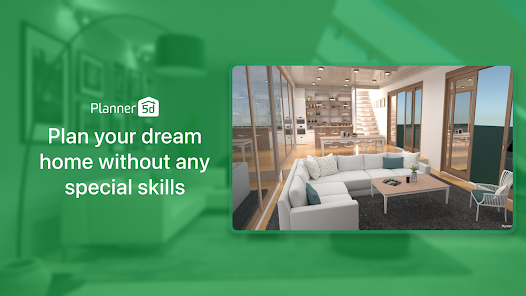
Planner 5D also enables users to create virtual home designs, allowing you to visualize and explore your designs in a virtual environment. This immersive experience provides a more engaging and interactive way to experience your designs, helping you to identify potential issues and make informed design decisions. With Planner 5D, you can walk through your virtual home, explore different rooms and layouts, and interact with your designs in a more intuitive and engaging way.
There are several alternative design tools available on the market, each with its own strengths and weaknesses. Some popular options include:
| Tool | 2D Modeling | 3D Modeling | Virtual Reality | Collaboration |
|---|---|---|---|---|
| Planner 5D | ||||
| Autodesk Homestyler | ||||
| RoomSketcher | ||||
| Floorplanner |
While each of these tools has its own unique features and advantages, Planner 5D stands out for its user-friendly interface, advanced AI-powered functionality, and comprehensive object library. Additionally, Planner 5D offers a free version, as well as affordable pricing plans, making it an accessible option for individuals and businesses alike. In the next section, we will delve deeper into the platform's features and applications, exploring how Planner 5D can be used to create stunning and functional home designs.
One of the key advantages of Planner 5D is its ability to provide users with a high degree of customization and personalization. With the platform's advanced tools and features, users can create unique and tailored designs that reflect their individual styles and preferences. Whether you're looking to design a modern minimalist space or a traditional luxury home, Planner 5D provides the necessary tools and features to bring your vision to life. From custom furniture and decorative elements to advanced lighting and texturing options, Planner 5D offers a wide range of customization options to help you create a truly personalized design.
In addition to its advanced design capabilities, Planner 5D also provides a range of integration and collaboration tools to facilitate communication and cooperation between users. With the platform's real-time collaboration feature, multiple users can work together on a single design project, sharing ideas and feedback in a seamless and intuitive way. Planner 5D also integrates with a range of other tools and platforms, including Google Drive and Dropbox, making it easy to share and access your designs from anywhere. Whether you're working with a team of architects, designers, and contractors or simply looking to share your designs with friends and family, Planner 5D provides the necessary tools and features to facilitate collaboration and communication.

Planner 5D is an ideal tool for residential design, providing users with the necessary features and capabilities to create stunning and functional home designs. From floor plans and room layouts to furniture arrangements and decorative elements, Planner 5D offers a wide range of design tools and features to help you bring your vision to life. Whether you're looking to design a single-family home, a condominium, or an apartment, Planner 5D provides the necessary tools and features to create a beautiful and functional living space. With its user-friendly interface and advanced design capabilities, Planner 5D is the perfect tool for homeowners, architects, and designers looking to create stunning residential designs.
In addition to its residential design applications, Planner 5D is also an ideal tool for commercial design, providing users with the necessary features and capabilities to create functional and effective commercial spaces. From office layouts and retail designs to restaurant and hotel designs, Planner 5D offers a wide range of design tools and features to help you bring your vision to life. With its advanced collaboration and integration features, Planner 5D is the perfect tool for businesses and organizations looking to design and build commercial spaces. Whether you're a business owner, an architect, or a designer, Planner 5D provides the necessary tools and features to create stunning and functional commercial designs.
When it comes to choosing a design tool, there are many options available on the market. To help you make an informed decision, we've put together a comparison table of some of the most popular design tools, including Planner 5D, Autodesk Homestyler, and RoomSketcher.
| Feature | Planner 5D | Autodesk Homestyler | RoomSketcher |
|---|---|---|---|
| Price | $49/month | $49/month | $49/month |
| 2D Modeling | |||
| 3D Modeling | |||
| Virtual Reality | |||
| Collaboration | |||
| Customization | |||
| Integration | |||
| Customer Support |
Based on our evaluation and comparison of design tools, we highly recommend Planner 5D for its advanced design capabilities, user-friendly interface, and comprehensive customization options. With its real-time collaboration feature and integration with other tools and platforms, Planner 5D is the perfect tool for businesses and organizations looking to design and build commercial spaces. Additionally, its affordable pricing and excellent customer support make it an ideal choice for homeowners and individuals looking to create stunning and functional home designs. Whether you're a beginner or an experienced designer, Planner 5D provides the necessary tools and features to bring your vision to life.
In addition to its interior design capabilities, Planner 5D can also be used for landscape design. With the platform's advanced tools and features, users can create stunning and functional outdoor spaces, including gardens, patios, and pools. To use Planner 5D for landscape design, simply select the landscape option when creating a new project, and then use the platform's drag-and-drop tools to add plants, trees, and other landscape features to your design. You can also use the platform's advanced collaboration features to work with landscape architects and contractors to bring your design to life.
One of the most exciting features of Planner 5D is its ability to create virtual reality experiences. With the platform's VR feature, users can explore their designs in a fully immersive and interactive environment, getting a true sense of what their space will look like and feel like. To create a virtual reality experience with Planner 5D, simply select the VR option when viewing your design, and then use a VR headset or mobile device to explore your space. You can also use the platform's advanced analytics tools to track how users interact with your design, getting valuable insights into what works and what doesn't.
In addition to its use in professional settings, Planner 5D is also widely used in educational institutions, providing a valuable tool for teaching design principles and architecture. With the platform's user-friendly interface and advanced design capabilities, students can learn the fundamentals of design and architecture in a fun and interactive way. The platform's collaboration features also provide a valuable opportunity for students to work together on designs, developing their communication and teamwork skills. Whether you're a teacher or a student, Planner 5D provides a powerful tool for learning and exploring the world of design.
In conclusion, Planner 5D is a powerful and versatile tool for creating stunning and functional designs. With its advanced collaboration features, comprehensive library of objects and materials, and virtual reality capabilities, Planner 5D provides a valuable resource for architects, designers, and homeowners alike. Whether you're looking to create a new home, renovate an existing space, or simply explore the world of design, Planner 5D provides the necessary tools and features to bring your vision to life. Here is a final comparison table to help you make an informed decision:
| Feature | Planner 5D | Autodesk Homestyler | RoomSketcher |
|---|---|---|---|
| Price | $49/month | $49/month | $49/month |
| 2D Modeling | |||
| 3D Modeling | |||
| Virtual Reality | |||
| Collaboration | |||
| Customization | |||
| Integration | |||
| Customer Support |
If you're ready to take your designs to the next level, sign up for Planner 5D today and start creating stunning and functional spaces. With its free trial and affordable pricing, you can try out the platform risk-free and see the difference for yourself. Whether you're a professional designer or a DIY enthusiast, Planner 5D provides the necessary tools and features to bring your vision to life. So why wait? Sign up now and start designing the space of your dreams!